


6
Introduction: Stop Paying for Apps You Don’t Need
If you’re like most Americans, you’re probably spending hundreds of dollars each year on subscriptions—think Microsoft 365, Adobe Creative Cloud, Zoom, or Spotify. According to recent U.S. consumer data, the average person spends $200–$500 annually on digital subscriptions.
Here’s the truth:
👉 You don’t need to pay for most of them.
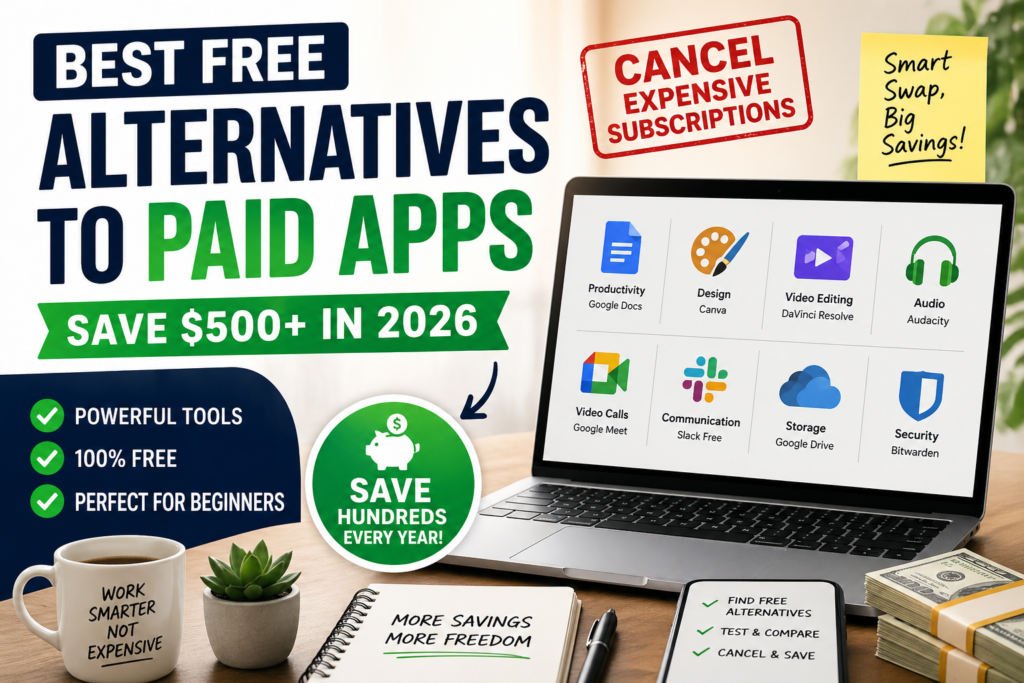
There are powerful free alternatives to paid apps that offer nearly identical features—especially for beginners. In this guide, you’ll discover how to replace expensive tools, save money, and still get professional-level results.
What Are Free Alternatives to Paid Apps?
Free alternatives are no-cost software tools that replace premium apps without sacrificing essential functionality.
✔ Examples:
- Instead of Microsoft Office → Use Google Docs
- Instead of Photoshop → Use Photopea
- Instead of Zoom Pro → Use Google Meet
These tools are often:
- Cloud-based
- Beginner-friendly
- Widely used in the U.S.
Why Are People Switching to Free Software?


8
🔍 Key Reasons:
- Rising subscription costs (inflation impact in the U.S.)
- Too many overlapping tools
- Free tools are now powerful enough
- Remote work demand for cost-effective solutions
💡 Example: A freelancer in Texas switched from Adobe ($54.99/month) to free tools and saved over $650/year.
Best Free Alternatives to Paid Apps (2026 List)
🧑💻 Productivity Tools
| Paid App | Free Alternative | Why It Works |
|---|---|---|
| Microsoft Office | Google Docs | Cloud-based, real-time collaboration |
| Notion (Paid) | Notion Free Plan | Enough features for beginners |
🎨 Design & Editing Tools


6
| Paid App | Free Alternative | Benefit |
|---|---|---|
| Adobe Photoshop | Photopea | Works in browser, PSD support |
| Adobe Illustrator | Inkscape | Vector design for free |
| Canva Pro | Canva Free | Thousands of templates |
🎥 Video & Audio Tools
| Paid App | Free Alternative | Benefit |
|---|---|---|
| Adobe Premiere Pro | DaVinci Resolve | Hollywood-level editing |
| Final Cut Pro | Shotcut | Lightweight editing |
| Audition | Audacity | Easy audio editing |
💬 Communication Tools


6
| Paid App | Free Alternative | Benefit |
|---|---|---|
| Zoom Pro | Google Meet | Free meetings up to limits |
| Slack Paid | Slack Free | Enough for small teams |
Step-by-Step Guide: How to Replace Paid Apps
✅ Step 1: Audit Your Subscriptions
- Check bank/credit card statements
- List all monthly/annual subscriptions
✅ Step 2: Identify Alternatives
- Search: “best free alternatives to paid apps”
- Match tools with your needs
✅ Step 3: Test Before Canceling
- Use free tools for 1–2 weeks
- Ensure compatibility
✅ Step 4: Cancel Safely
- Cancel before billing cycle
- Export your data if needed
Real-Life Example (U.S. User Case Study)
A college student in California replaced:
- Microsoft Office → Google Docs
- Adobe Photoshop → Photopea
- Zoom Pro → Google Meet
💰 Total savings: ~$420/year
And guess what? Productivity didn’t drop—it improved.
Pros and Cons of Free Alternatives
👍 Pros:
- Zero cost
- Beginner-friendly
- No long-term commitment
- Accessible anywhere (cloud tools)
👎 Cons:
- Limited advanced features
- Ads in some tools
- Requires internet (for most tools)
Common Mistakes to Avoid
🚫 Canceling before testing alternatives
🚫 Ignoring data backup
🚫 Choosing tools that don’t match your workflow
🚫 Assuming “free = low quality”
Actionable Tips to Maximize Savings
- Bundle tools (use one app for multiple tasks)
- Use browser-based apps to save storage
- Look for open-source tools (more control)
- Set a monthly subscription audit reminder
Key Takeaways
- You can save $300–$700/year by switching
- Free tools today are powerful and reliable
- Beginners benefit the most from simplicity
- Always test before canceling
Quick Checklist ✅
- List all subscriptions
- Find free alternatives
- Test usability
- Backup data
- Cancel paid plans
FAQs (Featured Snippet Optimized)
❓ What are the best free alternatives to paid apps?
The best options include Google Docs (Office), Photopea (Photoshop), DaVinci Resolve (video editing), and Google Meet (video calls).
❓ Can free software replace paid apps completely?
Yes, for beginners and most users, free tools can replace 80–90% of paid features.
❓ Is free software safe to use?
Most popular tools are safe, especially well-known platforms and open-source software.
❓ How much can I save by switching?
U.S. users can save between $300 and $700 annually depending on subscriptions.
Internal Linking Suggestions
- “How to Save Money on Monthly Expenses”
- “Best Budgeting Apps in the U.S.”
- “Top Productivity Tools for Beginners”
Conclusion: Start Saving Today
You don’t need to keep paying for expensive software subscriptions. With the best free alternatives to paid apps, you can cut costs, simplify your workflow, and still get professional results.
💡 The smartest move?
Start with just one subscription today—replace it, test it, and build momentum.
🚀 Call-To-Action
Ready to save money?
👉 Pick ONE paid app you use and replace it with a free alternative today.
Small steps = big savings.