


College life in the U.S. is expensive. Between tuition, rent, food, transportation, and student loans, many students constantly look for ways to earn extra money without sacrificing their studies. The good news? AI tools are changing the game, and Canva AI has become one of the easiest platforms for beginners to start making money online.
You no longer need advanced graphic design skills or expensive software. Canva AI allows students to create social media posts, resumes, presentations, YouTube thumbnails, digital products, and marketing materials in minutes. Businesses, creators, and influencers across America are actively paying for these services every day.
What makes Canva AI especially powerful is its simplicity. A student with just a laptop and internet connection can start a side hustle from a dorm room, coffee shop, or apartment. Whether your goal is earning an extra $200 per month or building a long-term online business, Canva AI offers realistic opportunities that fit into a student schedule.
This guide breaks everything down step by step so you can start using Canva AI to generate income in the United States.
What Is Canva AI?
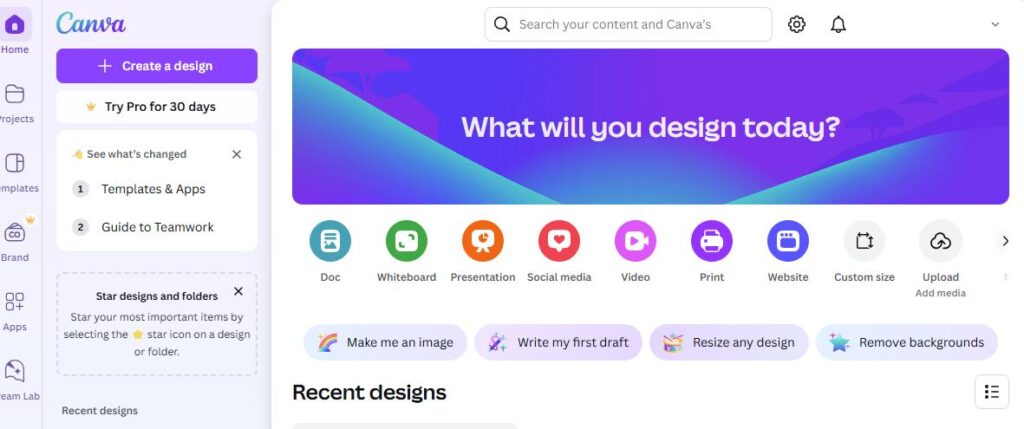
Canva AI is a collection of artificial intelligence tools inside Canva that helps users create professional designs faster. Instead of spending hours editing graphics manually, Canva AI automates many creative tasks.
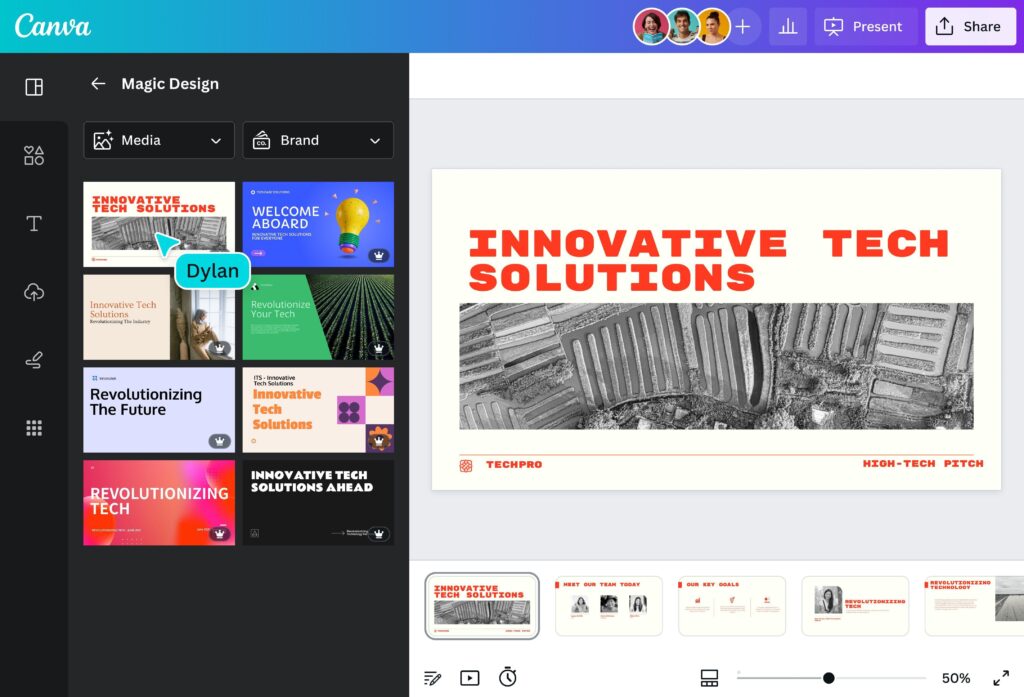
Some of the most popular Canva AI features include:
- Magic Design
- Magic Write
- AI Image Generator
- Background Remover
- Text-to-Image
- AI Presentation Builder
- Brand Kit Tools
These tools help students produce high-quality content even without design experience.
Recent market analysis indicates that the global AI design sector is expanding swiftly, as small businesses increasingly turn to outsourcing for digital content creation. In the United States, countless businesses require graphics for platforms like TikTok, Instagram, YouTube, Etsy, and online advertising. Canva AI enables students to fulfill this demand efficiently.
Consider Canva AI as your personal graphic design assistant. Instead of spending months mastering Photoshop, you can begin crafting sellable content almost right away.
Why Canva AI Is Perfect for U.S. Students
Low Startup Cost

One significant benefit is its cost-effectiveness. The majority of college students lack the funds to invest thousands of dollars into a business. Canva provides a free version, and its Pro version is much cheaper than conventional design software.
As a result, you can begin with minimal financial risk.
Flexible Schedule
Students require side jobs that can accommodate their class schedules and exam periods. Canva AI enables you to work at your convenience.
You can:
- Design at night
- Work between classes
- Create digital products on weekends
- Manage freelance clients remotely
This level of flexibility is perfect for college life.
High Demand in the U.S. Market
American businesses constantly need:
- Social media graphics
- Flyers
- Logos
- Resume templates
- Marketing materials
- Presentation slides
Many small businesses cannot afford expensive agencies, so they hire freelancers instead.
That creates a massive opportunity for students.
Step-by-Step Guide to Make Money with Canva AI
Step 1: Create a Canva Account
Start by signing up at Canva.com.
Choose:
- Free plan to begin
- Canva Pro if you want advanced AI features
Students can sometimes access educational discounts through schools or university programs.
After signing up:
- Customize your profile
- Explore templates
- Learn Canva AI tools
- Practice simple designs daily
Spend at least one hour learning the dashboard before offering services.
Step 2: Learn Canva AI Tools
The fastest way to make money is understanding the tools clients actually need.
Best Canva AI Features for Income
Magic Design
Automatically creates professional designs from prompts.
Example:
Type “Instagram fitness post” and Canva AI generates layouts instantly.
Magic Write
Useful for:
- Social media captions
- Blog outlines
- Marketing copy
- Product descriptions
AI Image Generator
Creates unique visuals for:
- Etsy products
- YouTube thumbnails
- Printables
- Social posts
Background Remover
Perfect for eCommerce businesses and online stores.
Learning these tools gives you a competitive advantage over beginners.
Step 3: Choose a Profitable Canva AI Side Hustle
One mistake students make is trying to do everything at once. Focus on one profitable niche first.
Best Canva AI Income Ideas for Students
| Side Hustle | Income Potential | Skill Level |
|---|---|---|
| Social Media Design | $300–$2,000/month | Beginner |
| Etsy Printables | Passive income | Beginner |
| YouTube Thumbnails | $10–$50 per design | Easy |
| Resume Templates | High demand | Beginner |
| Presentation Design | $20–$200/project | Medium |
| Digital Planners | Passive income | Easy |
| Logo Design | $50–$300/project | Medium |
For beginners, social media graphics and Etsy printables are usually the easiest starting points.
Step 4: Start Selling Canva AI Services
Once you create sample designs, begin offering services online.
Best Platforms for U.S. Students
Fiverr
Great for beginners.
Create gigs like:
- Instagram post design
- AI-generated Canva templates
- Resume design
Upwork
Best for long-term freelance clients.
Facebook Groups
Many local businesses look for affordable student freelancers.
Excellent for networking with startups and entrepreneurs.
Etsy
Perfect for selling digital products passively.
Step 5: Create a Portfolio
Clients want proof before paying.
Your portfolio should include:
- Social media posts
- Flyers
- Presentation slides
- YouTube thumbnails
- Resume templates
Even if you have no clients yet, create practice projects.
A strong portfolio increases trust instantly.
Best Ways Students Can Earn Passive Income with Canva AI
Passive income refers to generating revenue consistently from a task that has been done just once.
Top Passive Income Ideas
Sell Canva Templates
Create:
- Resume templates
- Budget planners
- Social media kits
- Study planners
Upload them to Etsy or Gumroad.
Create Digital Study Guides
American students constantly buy:
- Note templates
- Flashcards
- Productivity planners
Pinterest Templates
Many bloggers and influencers need Pinterest graphics regularly.
One template pack can generate income for months.
Real-Life Example: Student Canva AI Side Hustle
A college student in Texas started selling Canva Instagram templates on Etsy during summer break.
Initial investment:
- Canva Pro subscription
- Etsy store setup
After three months:
- Earned over $1,200
- Built recurring passive income
- Expanded into TikTok templates
The biggest reason for success was consistency. Instead of trying multiple businesses at once, the student focused entirely on one niche.
That strategy works surprisingly well.
Common Mistakes to Avoid
1. Copying Designs
Never steal templates or copyrighted graphics.
Create original content.
2. Ignoring SEO
Many Etsy sellers fail because they ignore keywords.
Use search-friendly titles like:
- “College Resume Template”
- “Student Budget Planner”
- “Instagram Canva Templates”
3. Charging Too Little
Beginners often undervalue their work.
Remember:
Businesses pay for solutions, not just graphics.
4. Trying Too Many Niches
Focus builds momentum.
Master one service before expanding.
Pros and Cons of Using Canva AI for Income
| Pros | Cons |
|---|---|
| Beginner-friendly | High competition |
| Low startup cost | Requires consistency |
| Fast content creation | Some advanced features need Pro |
| Flexible schedule | Income takes time to grow |
| Great for passive income | Need marketing skills |
Key Takeaways
- Canva AI helps students create professional designs quickly
- You do not need graphic design experience
- Freelancing and digital products are the best beginner options
- Etsy, Fiverr, and Upwork are ideal platforms
- Consistency matters more than perfection
- Passive income is possible through templates and printables
Step-by-Step Canva AI Income Checklist
Beginner Checklist
Setup
- Create Canva account
- Learn Canva AI tools
- Upgrade to Canva Pro if needed
Skill Building
- Practice daily
- Study trending designs
- Create sample projects
Monetization
- Choose one niche
- Build portfolio
- Open Fiverr or Etsy account
- Start promoting services
Growth
- Improve SEO
- Collect reviews
- Raise prices gradually
Actionable Tips to Grow Faster
Use TikTok for Free Marketing
Many U.S. students underestimate TikTok marketing.
Post:
- Design tutorials
- Canva transformations
- Passive income results
Short-form videos attract clients quickly.
Bundle Your Services
Instead of selling one graphic:
Offer packages.
Example:
- 10 Instagram posts for $75
- Full branding kit for $200
Bundles increase earnings significantly.
Follow Trends
Trending aesthetics sell faster:
- Minimalist designs
- AI-generated visuals
- Bold typography
- Productivity templates
Stay updated through Pinterest and TikTok.
Internal Linking Suggestions
If this article is part of a blog, internally link to:
- Best AI tools for students
- How to start freelancing in college
- Passive income ideas for beginners
- How to sell digital products on Etsy
- Best side hustles for U.S. college students
These links improve SEO and increase session duration.
How Long Does It Take to Make Money with Canva AI?
This depends on consistency and strategy.
Typical beginner timeline:
- Week 1–2: Learning Canva AI
- Week 3–4: Creating portfolio
- Month 2: Landing first clients
- Month 3+: Growing recurring income
Some students earn their first $100 quickly, while others take longer. The key is consistent effort.
Treat it like a real business instead of a random side hobby.
Why Canva AI Is a Smart Side Hustle in 2026
AI-driven content creation is becoming mainstream across the U.S. economy.
Businesses now prioritize:
- Fast content
- Affordable freelancers
- Social media growth
- AI-enhanced marketing
That trend creates opportunities for students willing to learn digital skills early.
Canva AI removes many traditional barriers:
- Expensive software
- Design complexity
- Technical learning curves
This makes it one of the easiest entry points into online income today.
Conclusion
Understanding how to generate income using Canva AI can truly transform a student’s financial landscape. The platform is user-friendly, cost-effective, and adaptable to hectic college timetables. Whether you opt for freelancing, creating Etsy templates, designing for social media, or developing digital products, Canva AI equips you with the resources to begin earning with little prior experience.
Success does not happen overnight, but students who consistently practice, market their services, and improve their designs can build real income streams. In a world where AI and digital content continue growing rapidly, learning Canva AI today can create opportunities far beyond college.
The best time to start is now. One small side hustle could eventually become a full-time online business.
FAQs
1. Can beginners really make money with Canva AI?
Yes. Canva AI is designed for beginners, and many students start earning without prior design experience.
2. How much can students earn using Canva AI?
Income varies, but many students earn between $200 and $2,000+ monthly depending on services and consistency.
3. Is Canva Pro necessary for making money?
No, but Canva Pro unlocks advanced AI tools that can improve workflow and design quality.
4. What is the easiest Canva AI side hustle for beginners?
Selling social media templates and Etsy printables are usually the easiest starting points.
5. Where can students find Canva AI clients?
Popular platforms include Fiverr, Upwork, Etsy, LinkedIn, and Facebook groups.